2026/01 7

[ToolBox] PE Studio 설치

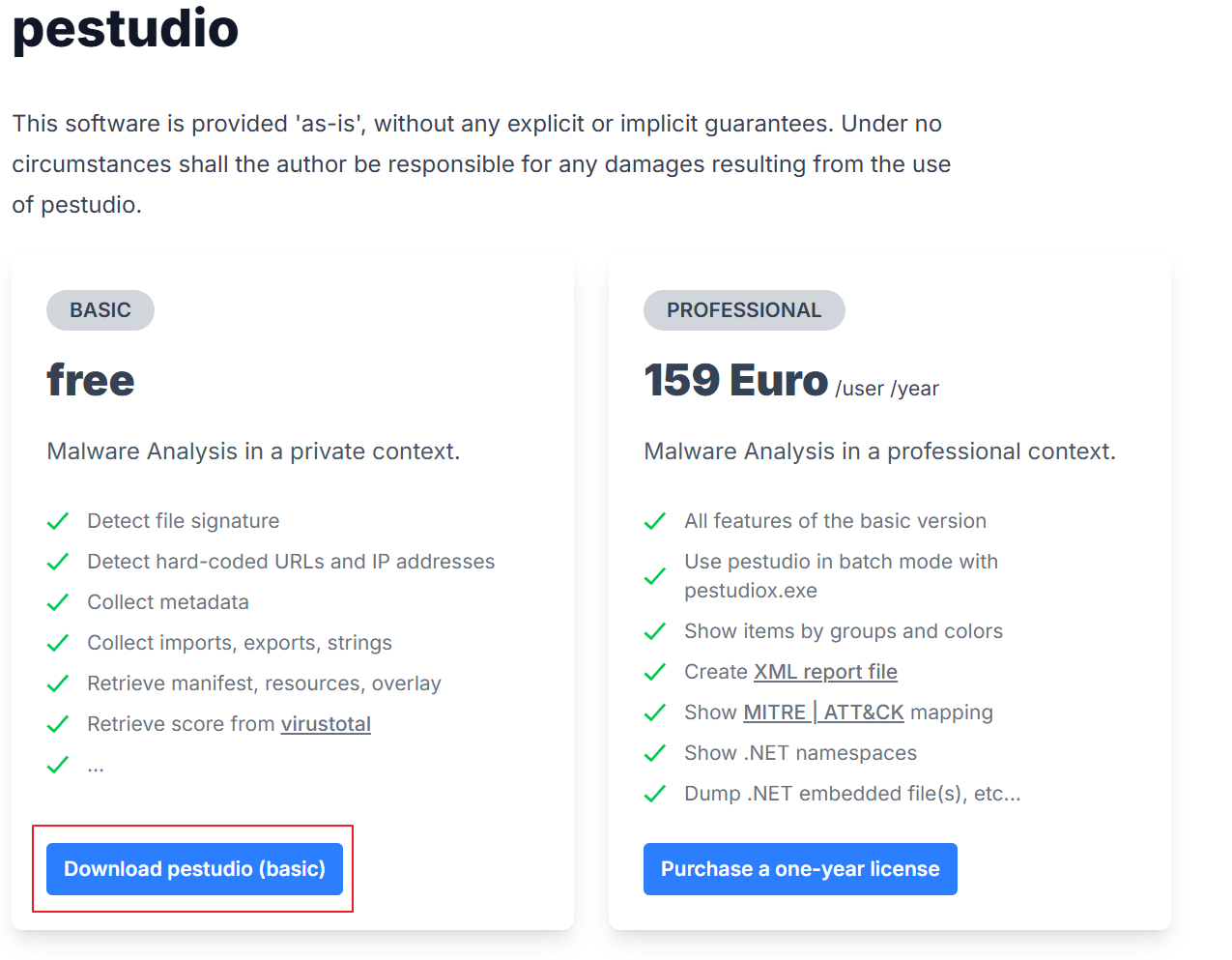
https://www.winitor.com/download winitor.compestudio This software is provided 'as-is', without any explicit or implicit guarantees. Under no circumstances shall the author be responsible for any damages resulting from the use of pestudio. basic free Malware Analysis in a private context. Detect filwww.winitor.com위 공식 홈페이지에서 다운로드 받으면 된다.PE Studio란?실행 파일(PE)의 위험 요소를 실행 전에 빠르게 점검해주는 정적 분석용 초기 스캐너다..
Study/ToolBox 2026.01.21

[ToolBox] Process Hacker 2 (System Informer) 설치

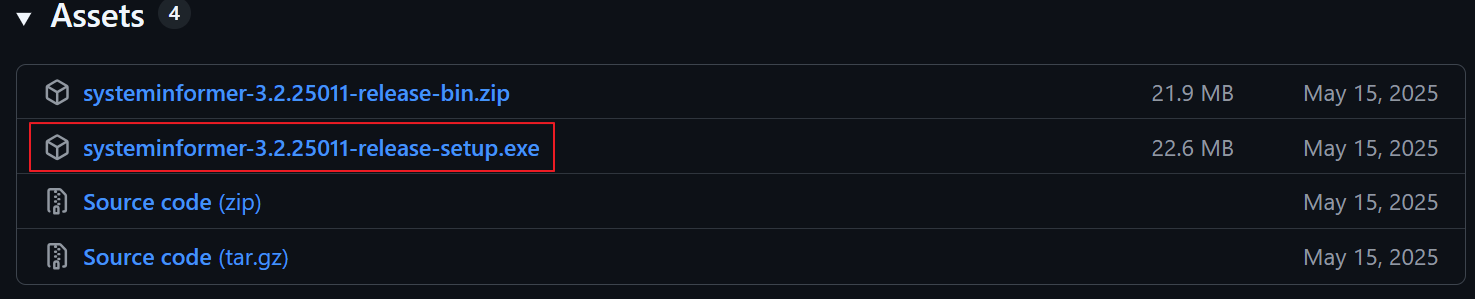
Releases · winsiderss/systeminformer Releases · winsiderss/systeminformerA free, powerful, multi-purpose tool that helps you monitor system resources, debug software and detect malware. Brought to you by Winsider Seminars & Solutions, Inc. @ http://www.windows-inter...github.com위 사이트에서 systeminformer-(버전정보)-release-setup.exe를 다운로드 및 실행하면 자동으로 설치가 진행된다.Process Hacker 2(현 System Informer)Windows에서..

Study/ToolBox 2026.01.21

[ToolBox] dnSpyEx 설치

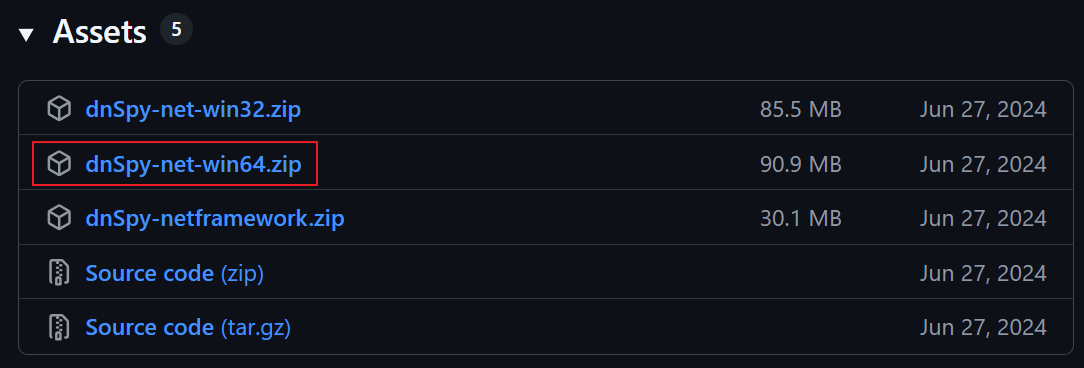
Releases · dnSpyEx/dnSpy Releases · dnSpyEx/dnSpyUnofficial revival of the well known .NET debugger and assembly editor, dnSpy - dnSpyEx/dnSpygithub.comdnSpy-net-win64.zip을 받으면 dnSpy.exe가 들어있다.악성코드가 작성된 버전에 맞춰서 분석하기 위해 win32 버전도 받아두면 좋을 것이다.dnSpy란?.NET 프로그램을 디컴파일·디버깅·수정까지 할 수 있는 올인원 리버스 엔지니어링 도구다.dnSpy와 dnSpyEx다운로드 받는다면 dnSpy지만, 원본 dnSpy는 개발이 중단된 상태이다.dnSpyEx는 현재 커뮤니티에서 유지보수되고 있는 버전이며 실행 파일 이름은 ..

Study/ToolBox 2026.01.21

[ToolBox] de4dot 설치 및 빌드

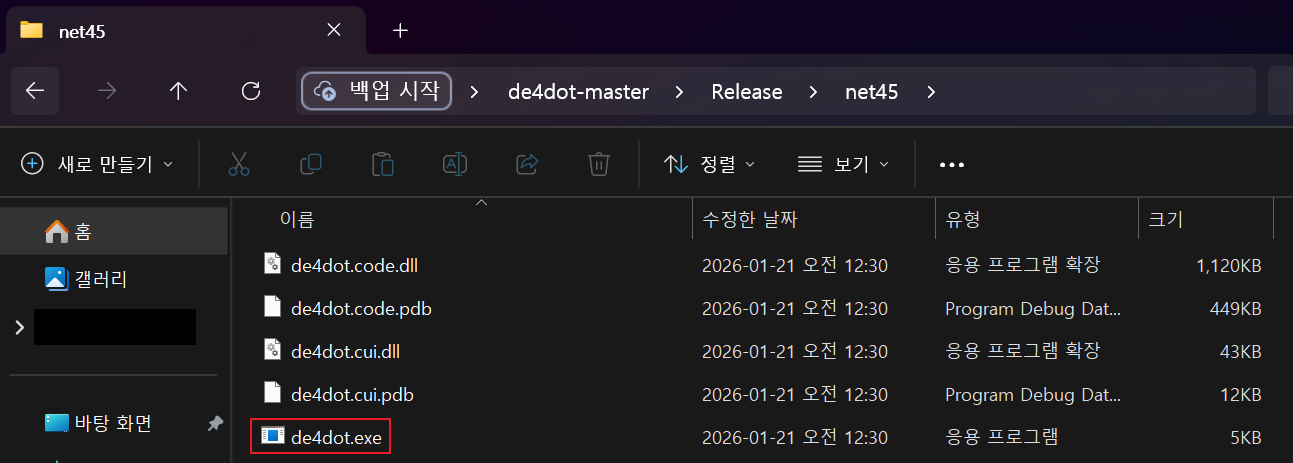
de4dot/de4dot: .NET deobfuscator and unpacker. GitHub - de4dot/de4dot: .NET deobfuscator and unpacker..NET deobfuscator and unpacker. Contribute to de4dot/de4dot development by creating an account on GitHub.github.comde4dot이란? .NET 악성코드/프로그램에 적용된 난독화를 자동으로 제거해주는 도구빌드 방법현재 releases 버전을 제공하고 있지 않은 만큼 수동으로 빌드하는 방법이다.1. 위 공식 github사이트에서 소스코드를 .zip으로 받아서 de4dot.netframework.sln 를 열어준다.2. 상단의 메뉴 구성을 r..

Study/ToolBox 2026.01.21

[baekjoon] 문자열 Day 4 (input과 sys.stdin.readline)

문제 풀이 코드그대로 출력하기while True: try : A = input() print(A) except: break풀이 코드는 보다시피 엄청 간단하다.하지만 첫 코드에서의 에러는 *EOF error가 발생했다.해당 에러는 try, except 문을 활용하여 에러를 잡을 수 있었다.* EOF (End Of File)입력이 더 이상 존재하지 않음을 의미하는 신호처음엔 sys.stdin.readline()을 통해 코드 수정 후 제출해보니 출력 초과라는 메세지를 볼 수 있었다.이는 input()과 sys.stdin.readline()의 차이점에 대해서 다시 찾아보았다.input()과 sys.stdin.readline() 차이input()내부적으로 sys.s..

python 2026.01.02

악성코드 분석 시 주의사항 (vmware 실습)

분석 시작 전 주의 사항1. 네트워크 연결이 되어있다면 실제 공격자와 연결될 수 있기에 네트워크가 차단된 환경이 필요하다.VMware 설정 기준 :Network Adapter → RemoveNetwork Adapter → Custom → Disconnected브리지/ NAT 절대 금지2. 분석 이후에 문제가 생겼을 때 복구를 위한 Snapshot은 필수이다.상단 메뉴에서 Take Snapshot을 통해 새로운 Snapshot를 생성해주면 된다.( 추가 용량 필요 )3. 파일 유출(악성코드 튐)을 방지를 위한 Copy-Paste, Drag&Drop 끄기VMware → Settings → Options → Guest Isolation“Enable Drag and Drop” → OFF“Enable Copy a..

Malware 2026.01.01

[baekjoon] 문자열 Day 3

문제 풀이 코드문자열 반복T = int(input().strip()) # 테스트 케이스 개수List = [] # 결과를 저장할 리스트for i in range(T) : # 테스트 케이스 수만큼 반복 D, chars = input().split() # D: 반복 횟수, chars: 문자열을 분리해서 받기 print(''.join(c*int(D) for c in chars)) # chars의 각 문자 뽑아 D번 반복하여 출력단어의 개수text = input().strip() # 문자열 입력을 앞뒤 공백 제거하고 받기words = text.split()print(len(words))상수두 수를 받아야 하기에 두 변수를 선언한 후 코드를 작성하기 시작하여 조금 헤맸었던 문제였다.A = input()...

python 2026.01.01